
 Download the Petty Cash Voucher & Register (.xlsx)
Designed and tested for Microsoft Excel. Prints on A4. General template only, not accounting or tax advice.
What’s inside
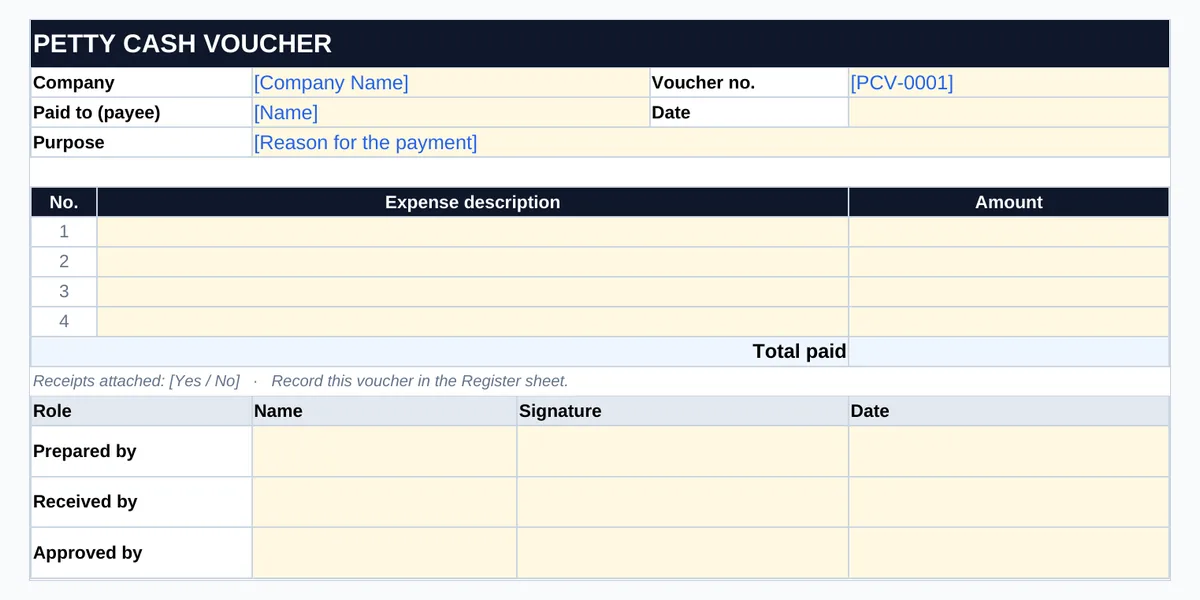
- Vouchers sheet — two petty cash vouchers per A4 page with a cut line: voucher number, date, payee, purpose, up to four expense lines, total and prepared / received / approved signatures.
- Register sheet — opening balance, float limit and 50 lines for cash in (top-ups) and cash out (payments), with a running balance that flags if it goes below zero.
- Cash count — enter each note or coin value and how many you have; the sheet shows Balanced, Short or Over and the top-up needed to restore the float.
How to use it
- Set up the float. Enter the opening balance and your float (imprest) limit on the Register.
- Use a voucher for every payment. Number it, get it signed by the person receiving the cash and the approver, and attach the receipt.
- Record it in the register. Payments go in Cash out, top-ups in Cash in; the balance updates on every line.
- Count the cash regularly. Enter the count; the sheet compares it with the register and shows the top-up needed.
Worked example
Float of 500.00. Three vouchers are paid: 45.50, 120.00 and 30.25. A top-up of 165.50 is added after the second payment.
Register balance 469.75
Cash counted 469.75 → Balanced
Top-up to float 30.25
Frequently asked questions
What is a petty cash voucher?
A small signed record for each cash payment from the petty cash box — who was paid, how much and why. Together with the receipt, it supports every entry in the register.
What is an imprest (float) system?
You keep a fixed float, such as 500. Whenever you top up, you add back exactly what was spent, so cash plus vouchers always equals the float.
What if the cash count does not match?
Check the register entries and vouchers for missing or mistyped amounts. Investigate any difference rather than adjusting the figures, and have someone else check the count.
Is this an expense tracker?
No. It is a cash-control record for a petty cash box. To analyse business spending by category and against budget, BabaDigit has a paid Expense Tracker Template.
Does it work in Google Sheets?
The form is designed and tested primarily for Microsoft Excel. It can be opened in other spreadsheet applications, but some features may behave differently.
Related free resources
This workbook is a general template, not accounting advice. Follow your organisation’s own cash-handling policy. Written and reviewed by Ghayas Uddin, MS (Finance), financial analyst. Last reviewed 5 October 2026. Found an error? Email support@babadigit.com.