
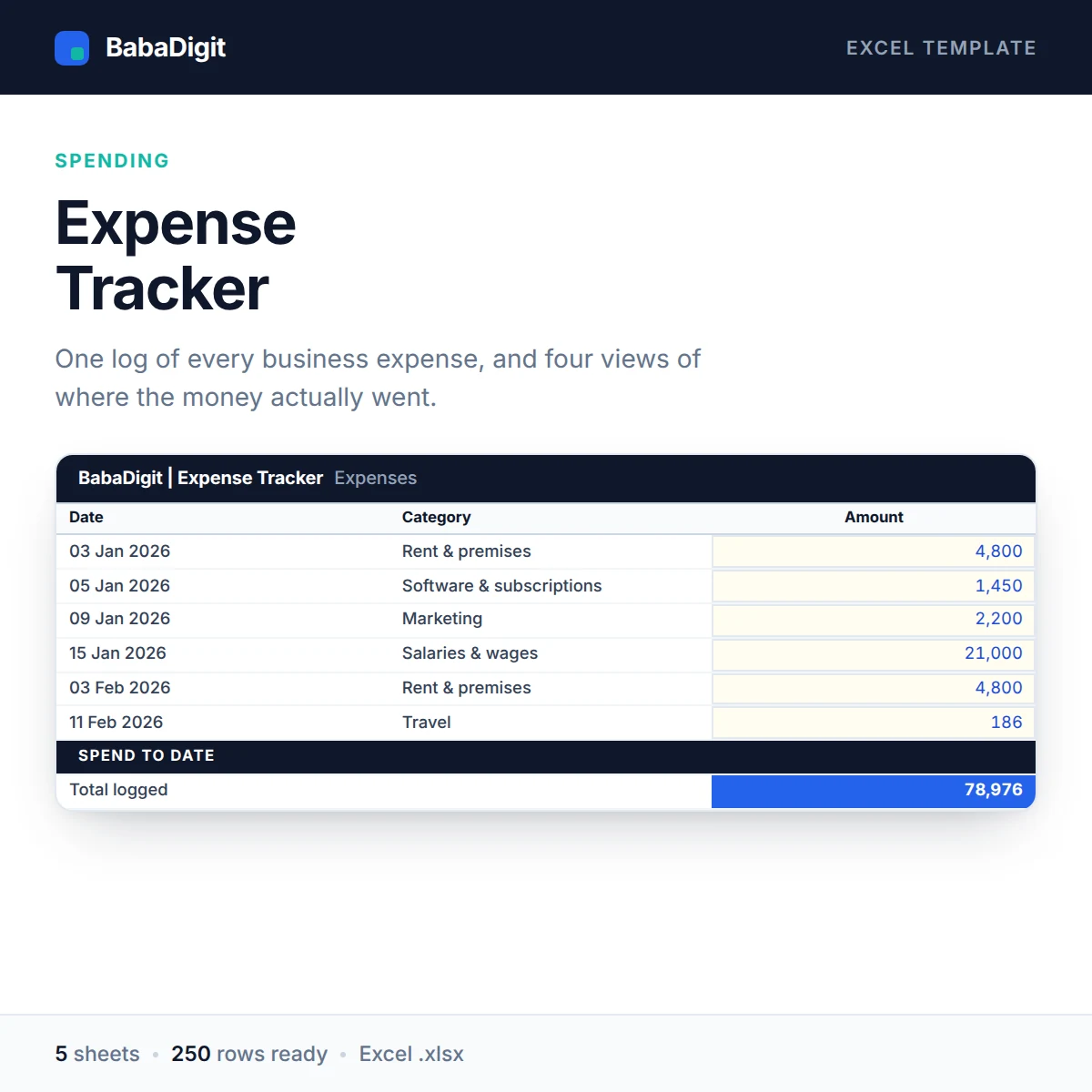

Knowing roughly what you spend is not the same as knowing where it went. This template turns a flat list of expenses into four different views of the same money, each one answering a different question.
The log is a simple sheet — date, category, description, payment method, amount, department — with dropdowns on the fields that matter so the summaries never split across ‘Marketing’ and ‘marketing’. Two hundred and fifty rows are ready to fill.
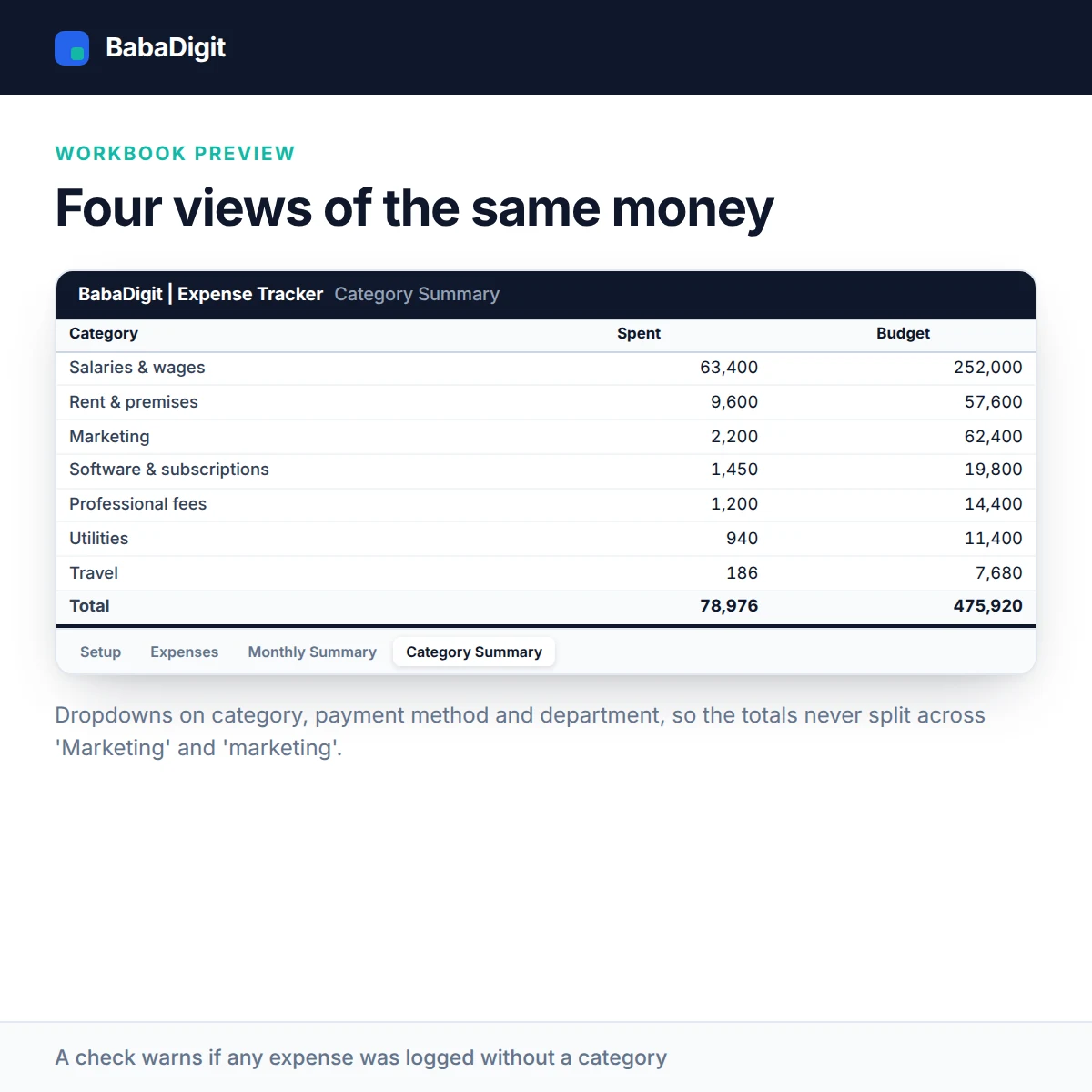
From there the Monthly Summary shows every category against every month, and the Category Summary compares spend to date against the annual budget you set, alongside breakdowns by payment method and by department or project.
A check at the bottom warns you if any expense has been logged without a category, because that is the one mistake that makes every total quietly wrong.
What you get
- 250-row expense log with dropdown validation
- Fifteen configurable expense categories
- Monthly grid built with SUMIFS
- Spend against annual budget per category
- Payment method and department or project breakdowns
- Uncategorised-spend warning
- Configurable currency — no currency is hard-coded
- No country’s tax rates or statutory rules built in
- Sheets protected without a password
- No macros, no add-ins, no internet connection required
Who it is for
Small businesses, freelancers and office managers who need to know where the money went without waiting for the bookkeeper.
In the download
- Excel workbook, fully formula-driven
- README with the full usage guide
- Licence covering commercial and client use
- Worked sample data throughout, clearly labelled
Sheets in the workbook
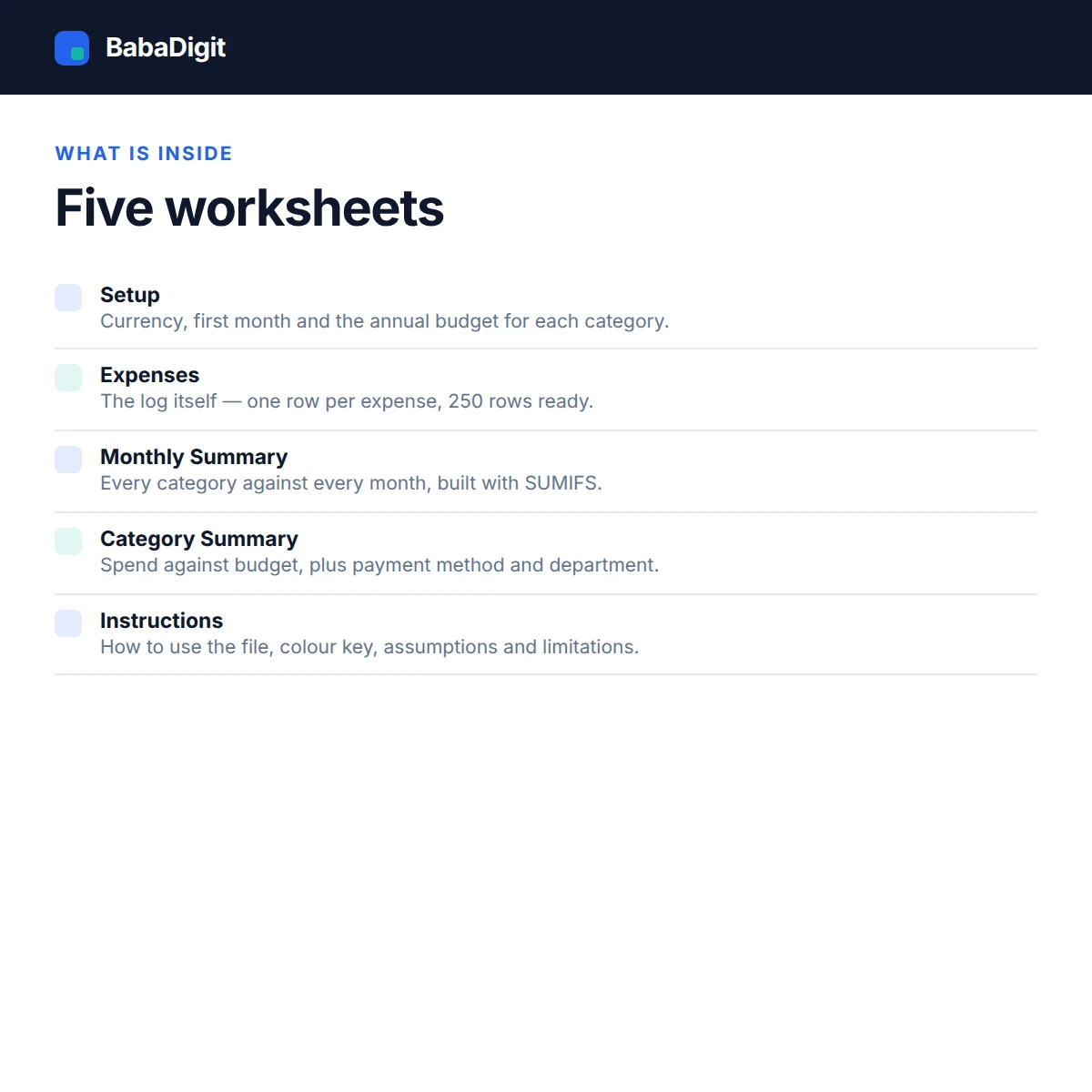
- Instructions — How to use the file, colour key, assumptions and limitations.
- Setup — Currency, first month and the annual budget for each category.
- Expenses — The log itself — one row per expense, 250 rows ready.
- Monthly Summary — Every category against every month.
- Category Summary — Spend against budget, plus payment method and department.
Requirements
- Microsoft Excel 2016 or later, or Microsoft 365
- Also opens in LibreOffice Calc, Google Sheets (import) and Apple Numbers
- No macros, no add-ins, no internet connection required
Please read
- A tracking tool, not a bookkeeping system. It does not post to a ledger, handle VAT or sales tax, or produce a tax return.
- 250 expense rows are provided. Beyond that, start a second file per year.
- It records what you enter and cannot reconcile against your bank.
- General information only, not financial, tax or accounting advice.
- Sample data is included and clearly labelled. It is illustrative only.
- This is a tool, not financial, accounting, tax or legal advice.
Reviews
There are no reviews yet.