
Late payment is rarely one big problem. It is twenty small ones — an invoice nobody chased, a promise nobody followed up, a customer quietly running past their credit limit.
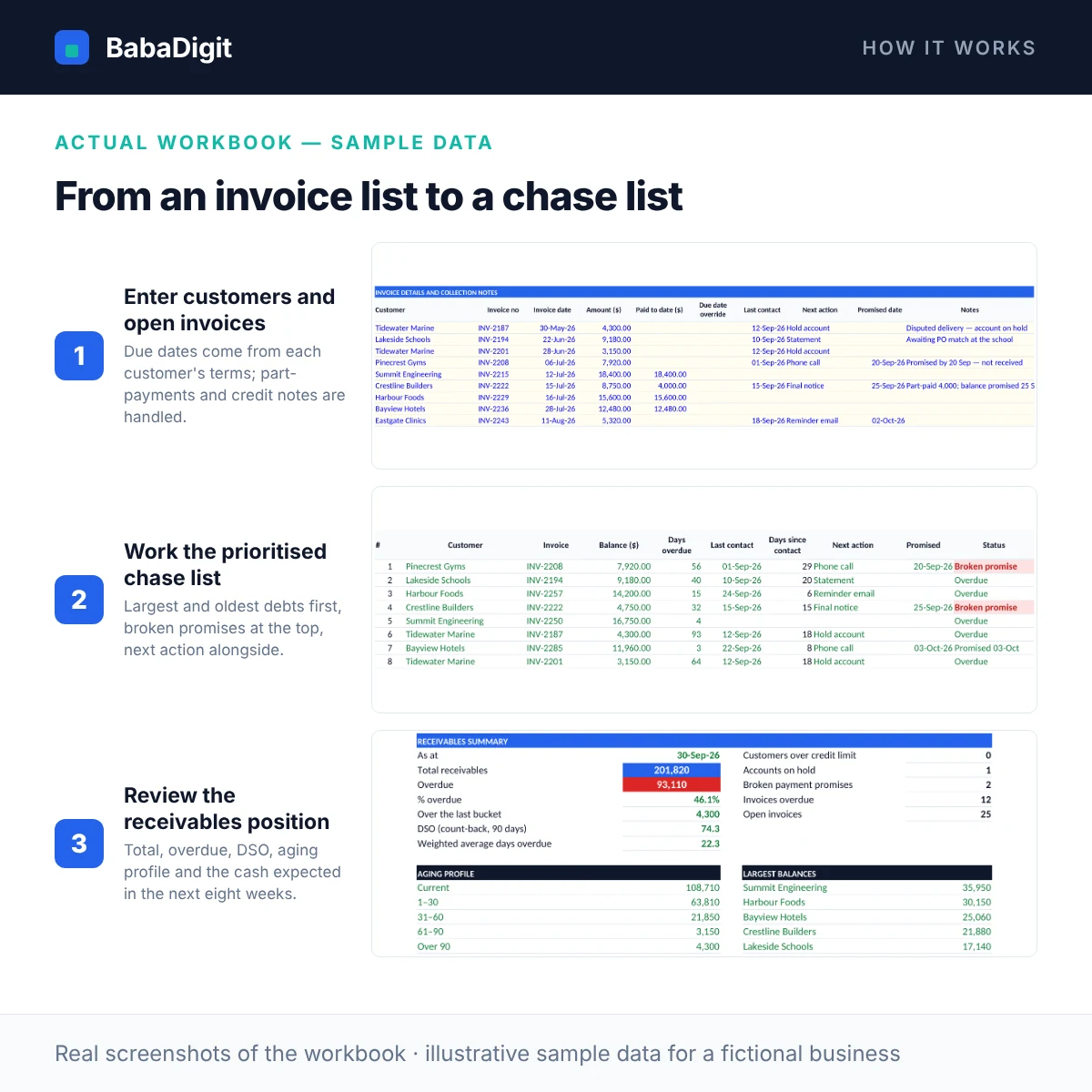
This tracker keeps all of it in one place. Enter your customers with their payment terms and credit limits, and your open invoices with anything already paid. Due dates come from each customer’s terms, and every balance is aged at the date you choose into Current, 1–30, 31–60, 61–90 and over-90 days — with the bucket limits under your control.
Then it tells you where to start. The Chase List ranks overdue invoices by size and age, puts broken payment promises first, and shows the last contact and next action for each. Before you call, print the customer’s statement of account so you both look at the same open items. The Dashboard shows total and overdue receivables, DSO, the aging profile, your largest balances and the cash you can expect to collect in each of the next eight weeks.
What you get
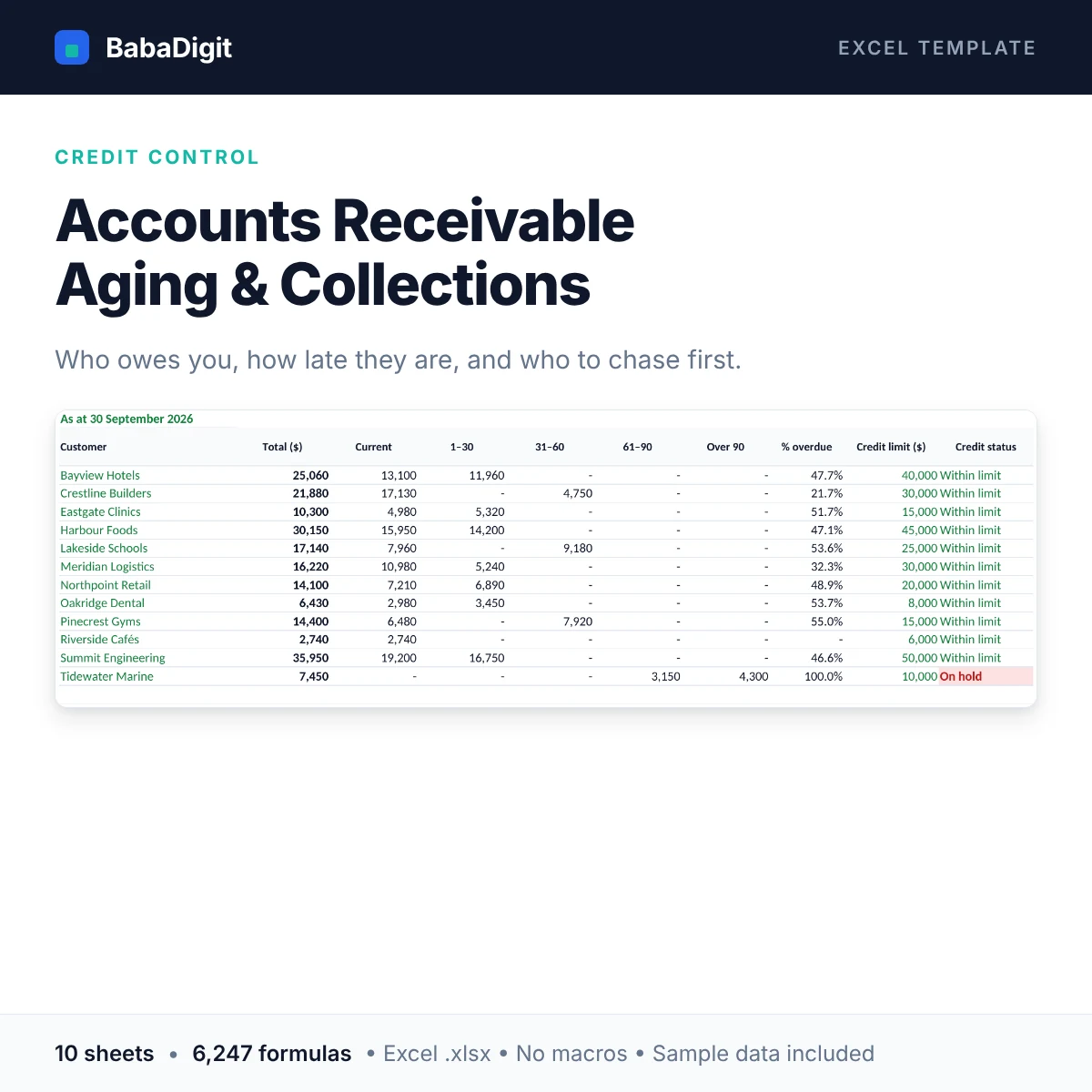
- Aged receivables report by customer: Current, 1–30, 31–60, 61–90 and over-90 days (limits editable)
- Due dates calculated from each customer’s payment terms, with a per-invoice override
- Chase list of the 25 overdue invoices to chase first — broken promises ranked highest
- Collection notes on every invoice: last contact, next action, promised date, notes
- Credit limits, available credit, over-limit and on-hold flags per customer
- Dashboard: total and overdue receivables, % overdue, DSO (count-back), weighted days overdue, largest balances, aging chart
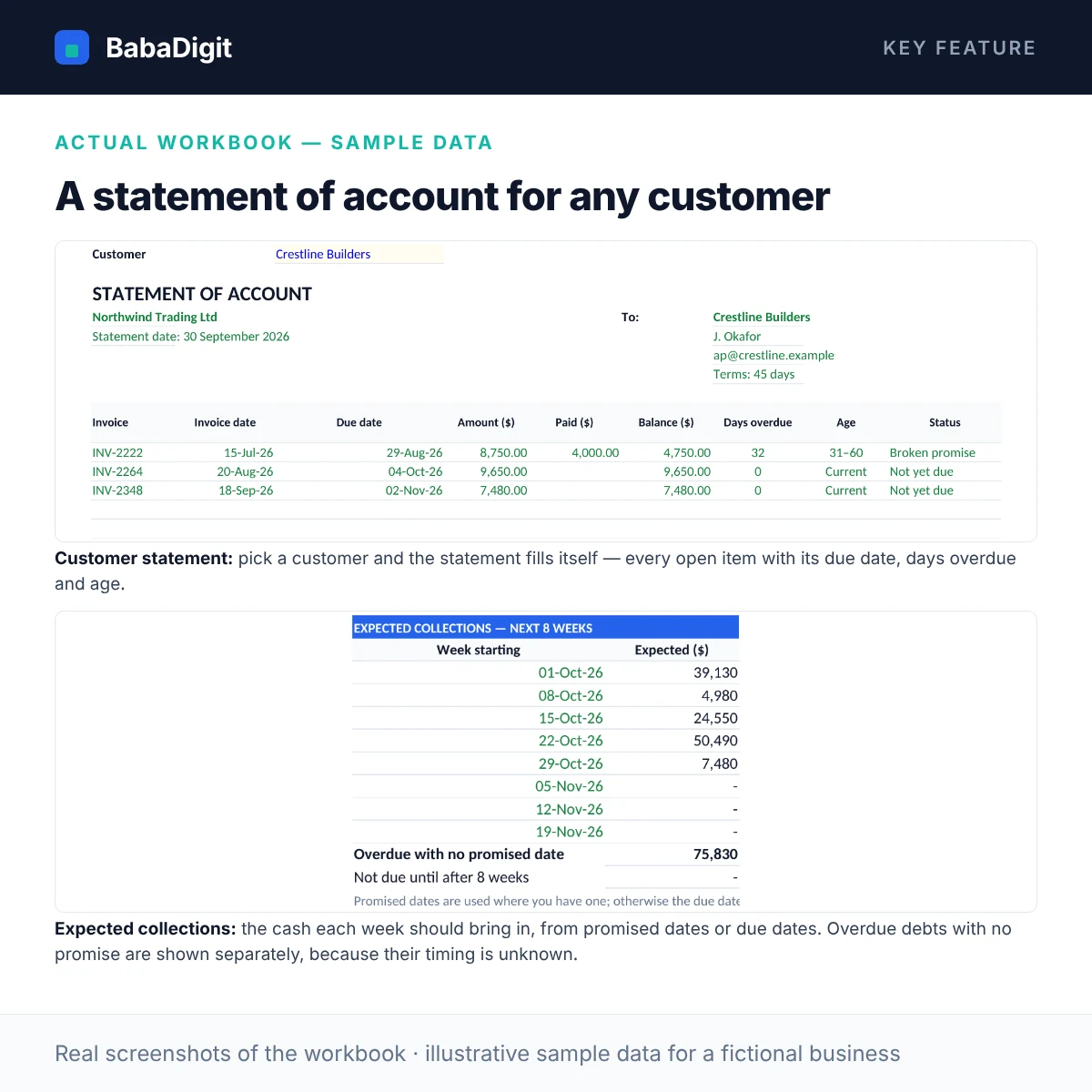
- Printable statement of account for any customer, with the age of the balance
- Expected collections for each of the next 8 weeks from promised or due dates, with undated overdue debt shown separately
- Handles part-payments and credit notes
- Checks for unknown customers, duplicate invoice numbers, date errors and a full reconciliation to the invoice list
Sheets in the workbook
- Instructions — How to use the file, colour key, assumptions and limitations.
- Setup — As-at date, aging buckets and default terms.
- Customers — Customer list with terms, credit limits and live balances.
- Invoices — Every open invoice: balance, days overdue, bucket and collection notes.
- Aging Report — The aged receivables report by customer, with totals.
- Chase List — The 25 overdue invoices to chase first, in priority order.
- Statement — A printable statement of account for any customer, with the age of the balance.
- Dashboard — Totals, % overdue, DSO, over-limit accounts and the aging chart.
- Checks — Plain-English data checks.
- Notes & Tests — How each key result is calculated, and test scenarios you can run yourself.
Who it is for
Credit controllers, bookkeepers, accounts assistants and owners of B2B businesses that invoice on credit terms.
Practical uses
- Weekly collections routine
- Month-end aged debtors report for management or the bank
- Reviewing credit limits before accepting a new order
- Preparing for a conversation with a slow-paying customer
In the download
- BabaDigit_AR_Aging_Collections.xlsx — 10 sheets
- README with the full usage guide
- Licence (own business and client use)
- Worked sample data for a fictional business, clearly labelled
Requirements
- Microsoft Excel 2016 or later, or Microsoft 365
- Also opens in LibreOffice Calc; Google Sheets and Apple Numbers import not yet tested
- No macros, no add-ins, no internet connection required
Please read
- Up to 100 customers and 400 open invoices per file.
- Not legal advice — follow the rules on late-payment interest and debt collection where you operate.
- It does not send reminders or connect to accounting software.
- This is a tool, not financial, accounting, tax or legal advice.
Reviews
There are no reviews yet.