
Most payroll templates are built around one country’s tax system, which makes them useless everywhere else and dangerous when the rates change. This one contains no statutory rates at all. Every allowance and every deduction is a field you name and a rate you set.
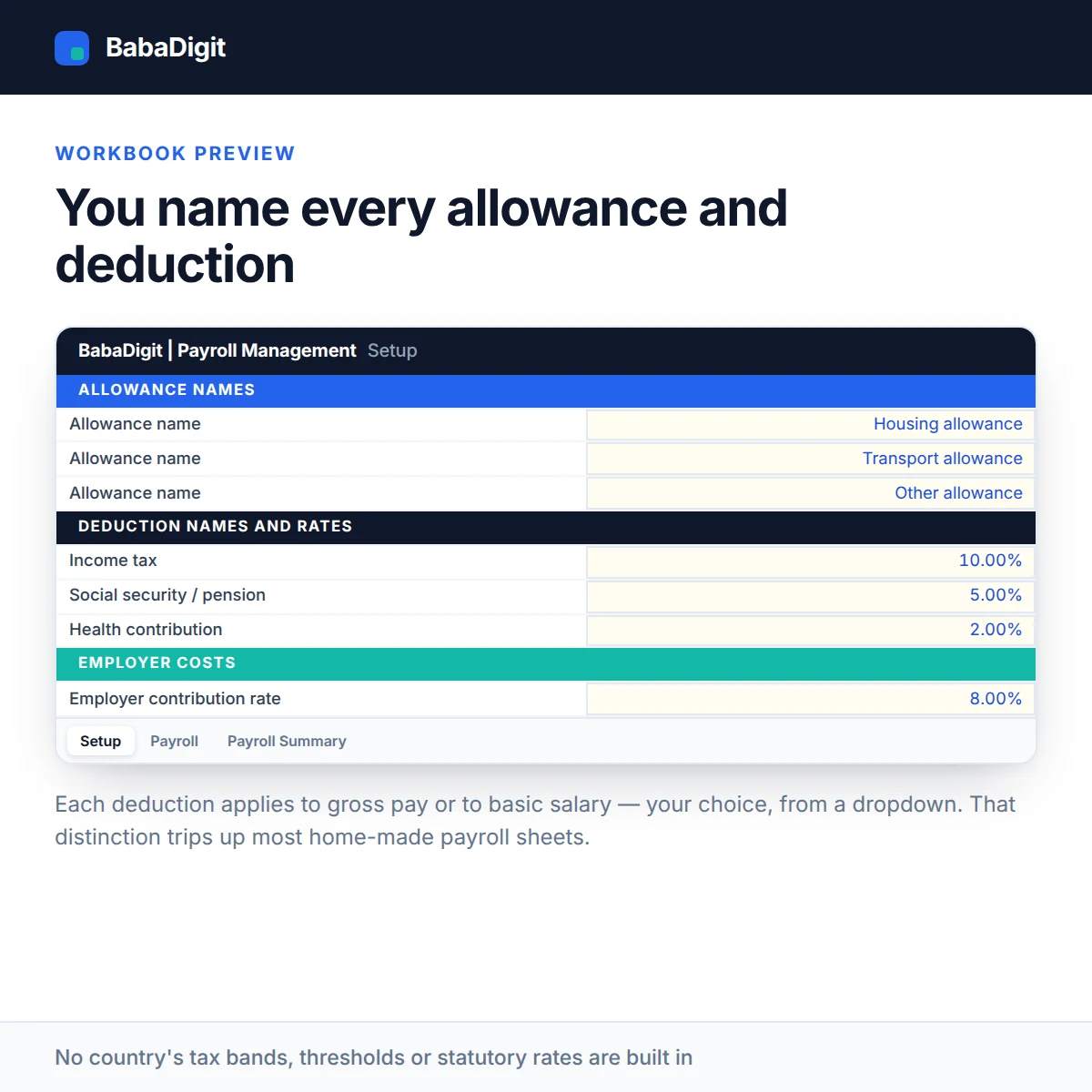
Three allowances and four deductions are provided. You choose whether each deduction applies to gross pay or to basic salary only, which is the distinction that trips up most home-made payroll spreadsheets.
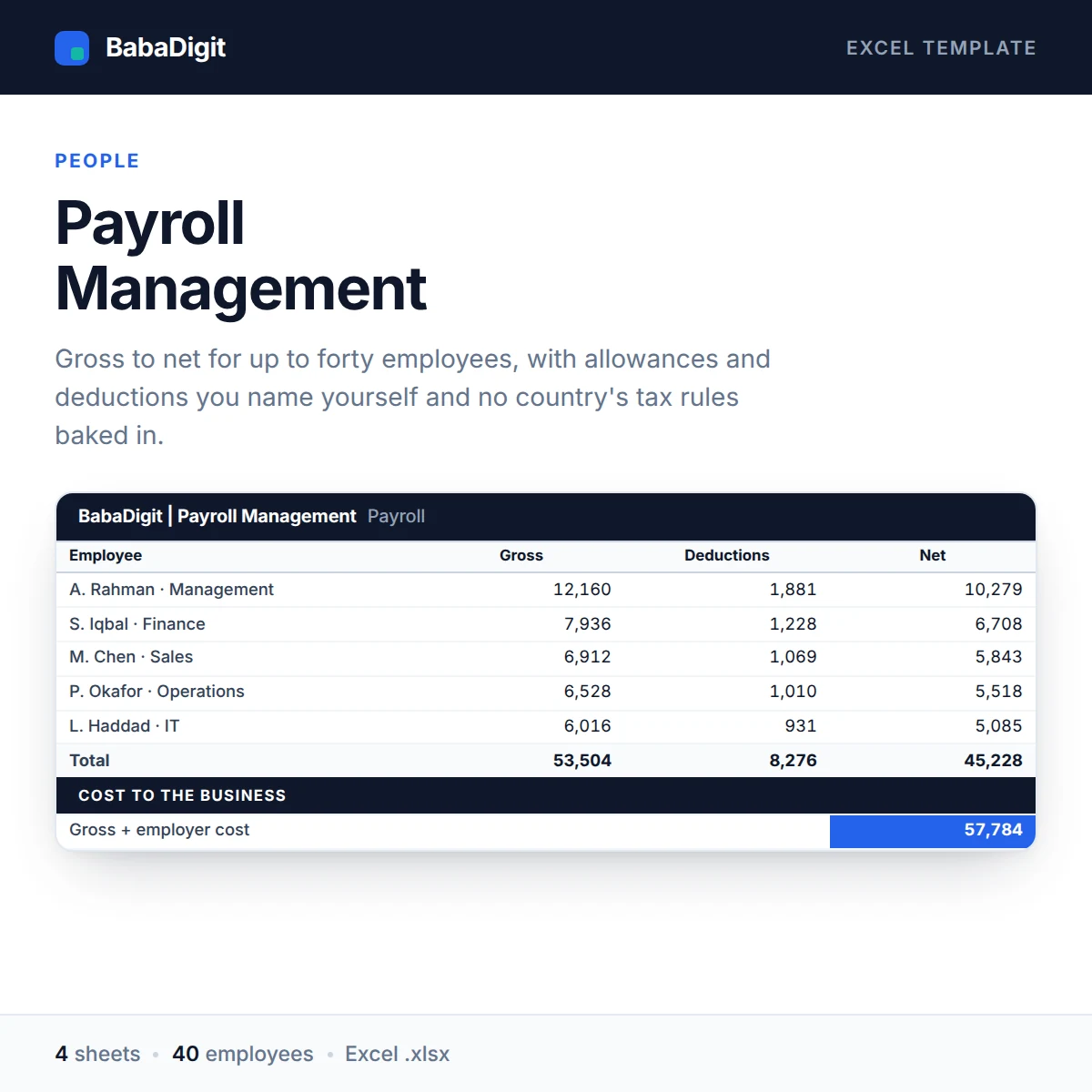
Forty employee rows calculate gross pay, total deductions, net pay, employer cost and the total cost to the business. The Summary sheet gives the whole run in one screen with a breakdown by department.
It is a register and a calculator a clean record your accountant can work from, not a substitute for knowing your local obligations.
What you get
- Forty employee rows
- Three configurable allowances, four configurable deductions
- Per-deduction choice of gross or basic pay as the base
- Employer contribution and total cost to the business
- Department summary with headcount, gross, net and total cost
- Configurable currency no currency is hard-coded
- No country’s tax rates or statutory rules built in
- Sheets protected without a password
- No macros, no add-ins, no internet connection required
Who it is for
Small and medium businesses running payroll themselves, and anyone who needs a clear payroll register their accountant can work from.
In the download
- Excel workbook, fully formula-driven
- README with the full usage guide
- Licence covering commercial and client use
- Worked sample data throughout, clearly labelled
Sheets in the workbook
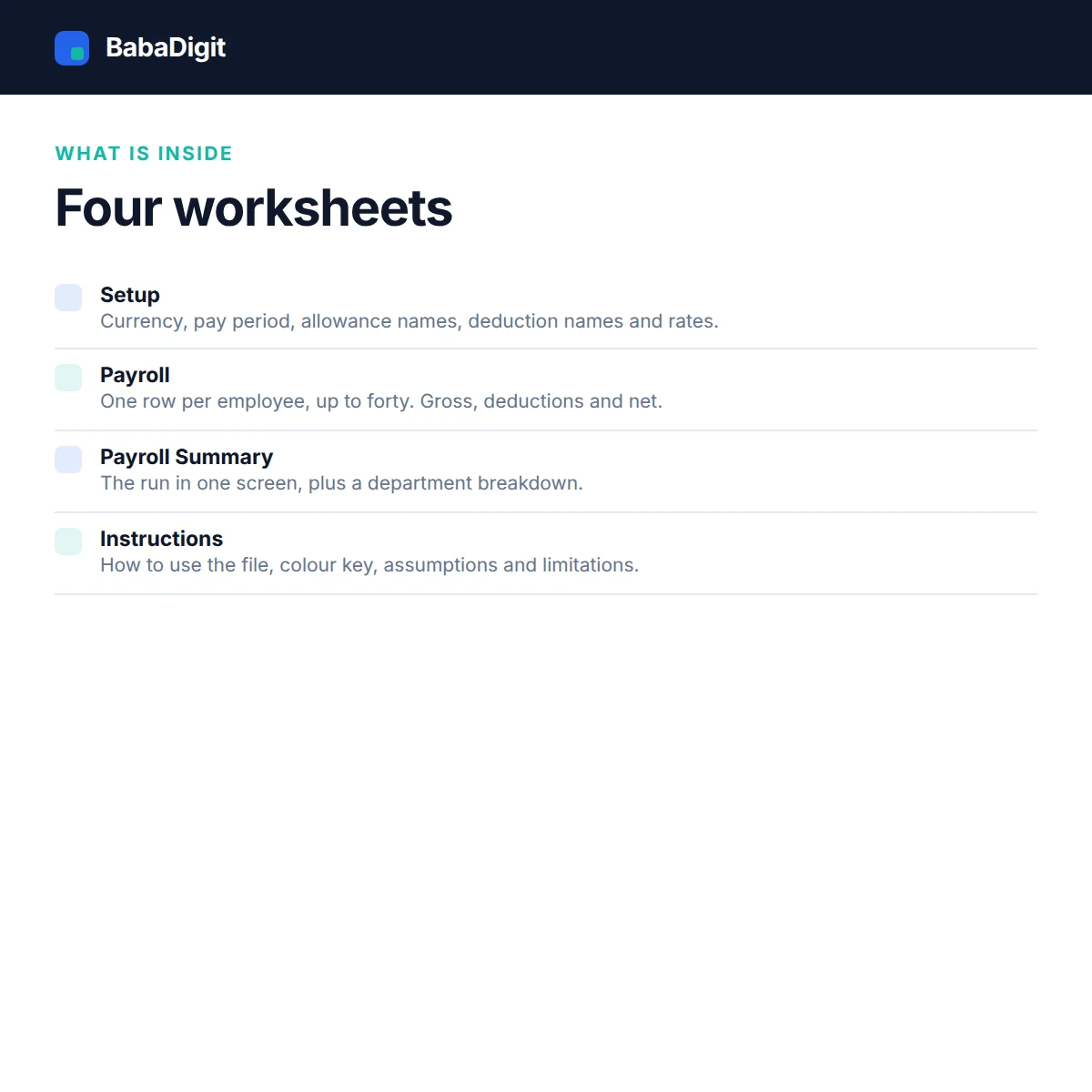
- Instructions: How to use the file, colour key, assumptions and limitations.
- Setup: Currency, pay period, allowance names, deduction names and rates.
- Payroll: One row per employee, up to forty. Gross, deductions and net.
- Payroll Summary: The run in one screen, plus a department breakdown.
How to use the Payroll Management Template
The workbook follows a straightforward payroll process:
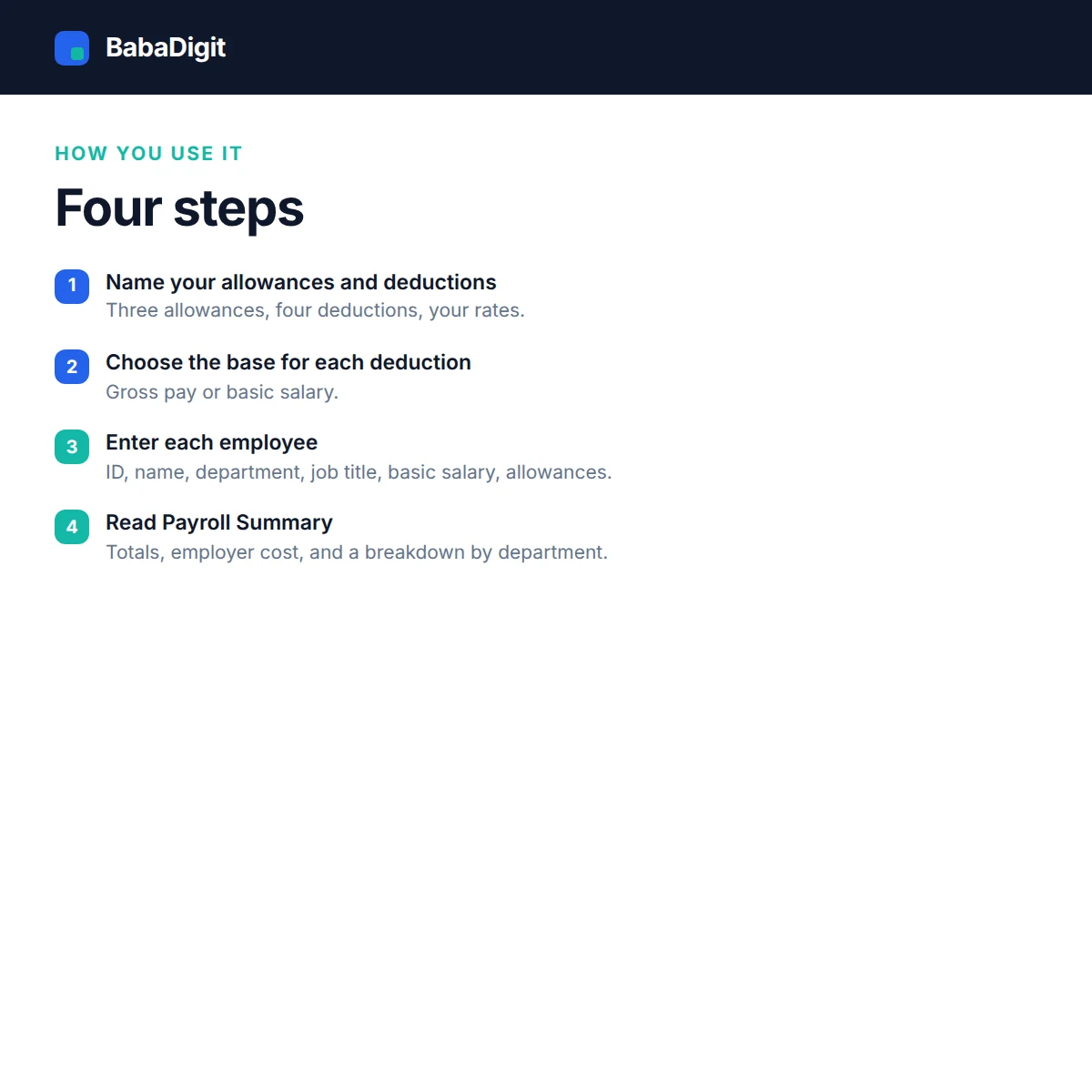
- Configure the payroll settings: Open the Setup sheet, select your currency and pay period, and enter the names and rates for the allowances and deductions you use.
- Enter employee payroll details: Use the Payroll sheet to record each employee’s basic pay, applicable allowances and deductions. The workbook calculates gross pay, total deductions and net pay.
- Review employer costs: Check the employer contribution and total cost for each employee. These figures help show the full cost of payroll beyond employees’ take-home pay.
- Check the payroll summary: Open Payroll Summary to review the overall payroll figures and department breakdown, including headcount, gross pay, net pay and total business cost.
Review the calculated figures against your approved payroll records and applicable local requirements before using them for payment or reporting.
Requirements
- Microsoft Excel 2016 or later, or Microsoft 365
- Also opens in LibreOffice Calc, Google Sheets (import) and Apple Numbers
- No macros, no add-ins, no internet connection required
Please read
- This is a calculation and record-keeping tool. It is not a payroll filing system and it does not submit anything to any authority.
- It deliberately contains no country’s tax bands, thresholds, statutory rates or filing rules. You must check your local obligations yourself.
- Progressive tax bands, pro-rata joiners and leavers, overtime rules and statutory leave are not modelled.
- Payroll is a legal obligation in most countries. Take professional advice — this template is not payroll, tax or legal advice.
- Sample data is included and clearly labelled. It is illustrative only.
- This is a tool, not financial, accounting, tax or legal advice.
Frequently Asked Questions
How many employees can I manage with this template?
The workbook supports up to 40 employees in one payroll register. Each employee has a separate row for recording pay and calculating gross pay, deductions, net pay and employer cost.
Can I customize allowances and deductions?
Yes. The Setup sheet provides three allowance fields and four deduction fields. You can name each one and set its rate to match the components used in your payroll process.
Can deductions be calculated on basic salary instead of gross pay?
Yes. Each deduction has its own setting, allowing you to choose gross pay or basic salary as its calculation base.
Does the template calculate income tax and statutory contributions?
No. It does not include country-specific tax bands, statutory rates, thresholds or filing rules. You must determine and enter applicable payroll components in accordance with your local requirements.
Can I see the total cost of employing each employee?
Yes. The workbook calculates employer contributions and total cost to the business. The Payroll Summary also provides a department breakdown of headcount, gross pay, net pay and total cost.
Can I use this template for overtime, leave and employees joining or leaving during a pay period?
The workbook does not model overtime rules, statutory leave or pro-rata calculations for employees joining or leaving during a pay period. These items need to be calculated separately where applicable.
Which spreadsheet applications are supported?
The template is designed for Microsoft Excel 2016 or later and Microsoft 365. It can also be opened in LibreOffice Calc, Google Sheets (after importing the file) and Apple Numbers, although formatting may vary.
Reviews
There are no reviews yet.