
Most stock problems are one of two mistakes: running out of the things customers want, or sitting on too much of the things they don’t. Both cost money, and both come from guessing when to reorder.
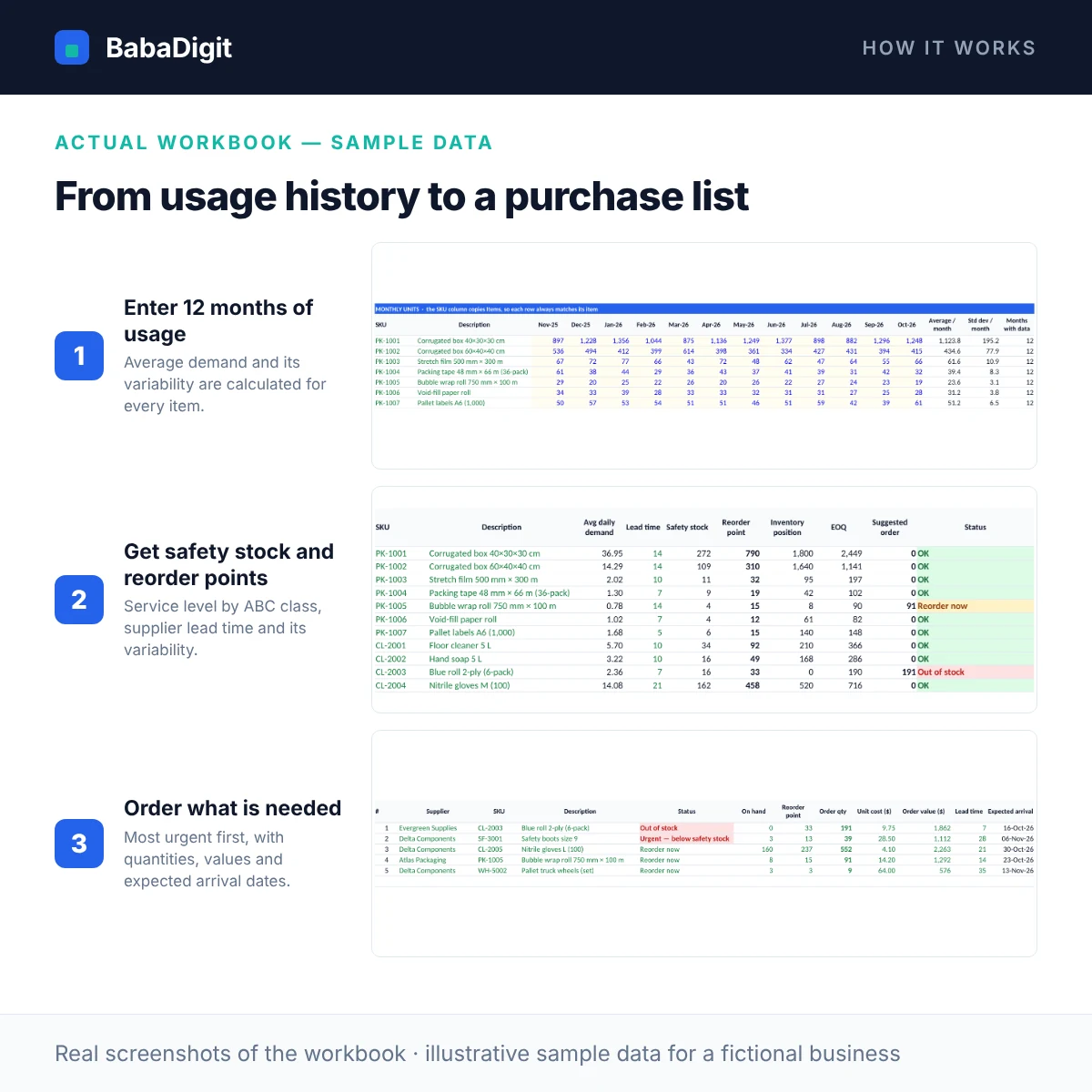
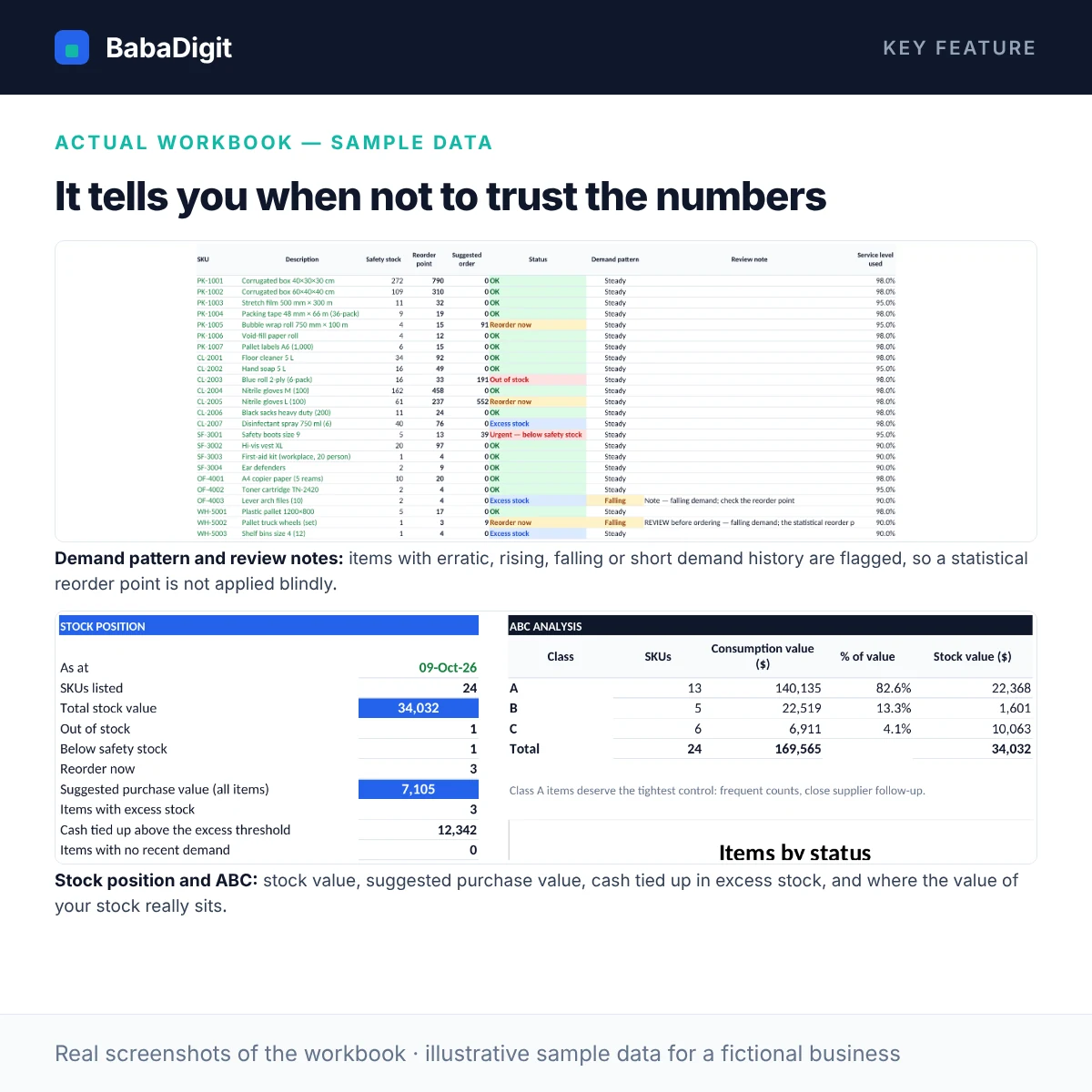
This template replaces the guess with arithmetic — and is honest about its limits. Enter each item’s cost, stock on hand, stock on order, supplier lead time (and how much it varies) and minimum order, plus 12 months of usage. It works out average demand and its variability, then sets a safety stock for the service level of the item’s ABC class, a reorder point and an economic order quantity. Items whose demand is erratic, rising, falling or too short to judge are flagged for review rather than ordered blindly.
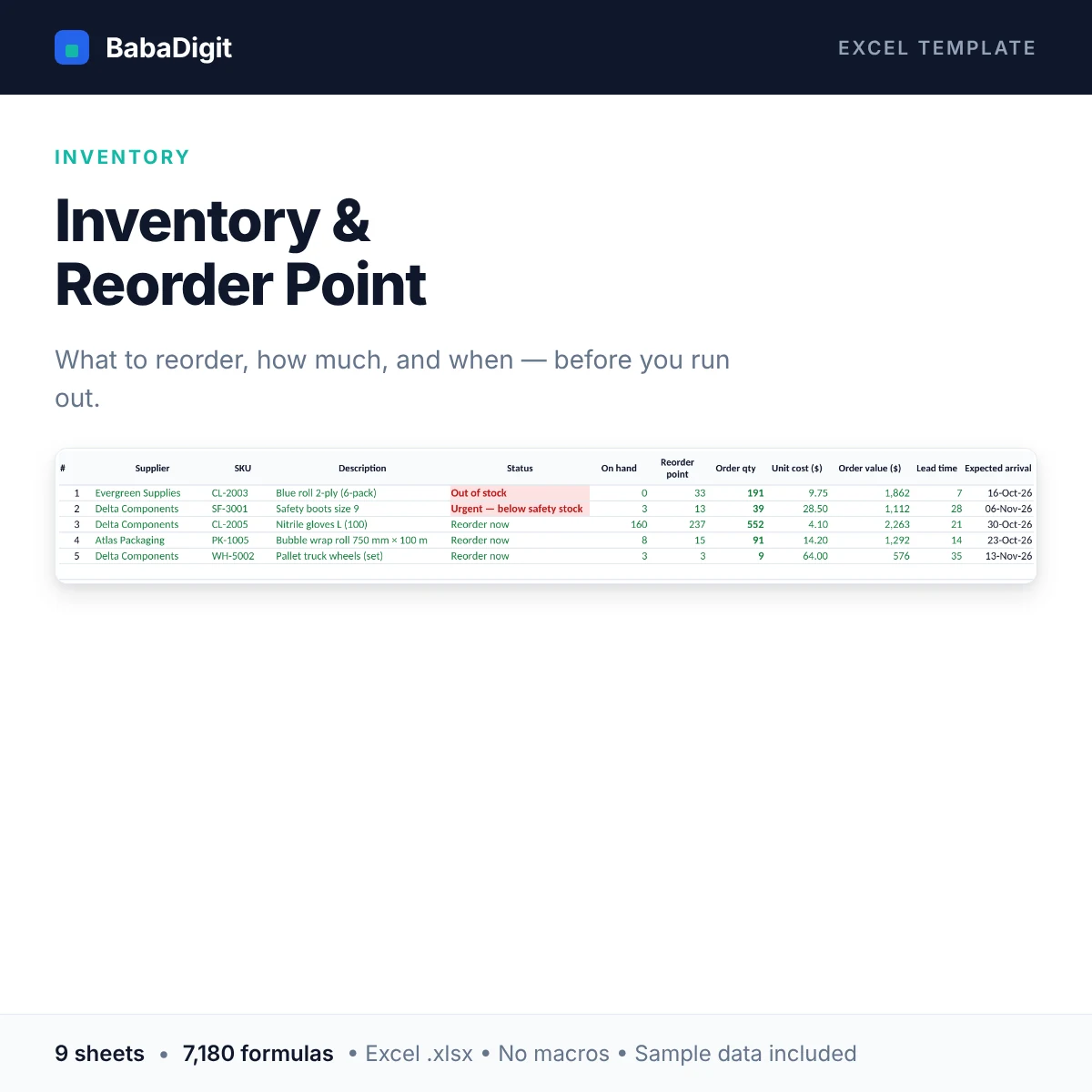
The Reorder Plan flags every item as out of stock, below safety stock, reorder now, OK or excess. The Purchase List gives you the lines to order today, most urgent first, with quantities and values, and the Dashboard shows stock value, excess-stock cash and an ABC analysis.
What you get
- Safety stock from demand variability, lead time and lead-time variability, at a service level set per ABC class
- Demand-pattern flags (erratic, rising, falling, short history) with review notes on the purchase list
- Reorder point, inventory position (on hand + on order) and days of cover for every item
- Economic order quantity (EOQ) from ordering and holding costs, respecting minimum order quantities
- Status for every item: out of stock, below safety stock, reorder now, OK, excess stock, no recent demand
- Purchase list — most urgent first — with supplier, quantity, value, expected arrival date and a by-supplier summary
- Days until reorder and a reorder-by date for items not yet at their reorder point
- ABC classification by annual consumption value, with editable thresholds
- Dashboard: stock value, suggested purchase value, cash tied up in excess stock, status chart
- Up to 200 SKUs with 12 months of usage history each; macro-free
Sheets in the workbook
- Instructions — How to use the file, colour key, assumptions and limitations.
- Setup — As-at date, service level, holding and ordering cost, thresholds.
- Items — Item master: cost, price, stock on hand and on order, lead time, MOQ.
- Usage History — Twelve months of usage per item — the demand data behind every calculation.
- Reorder Plan — Safety stock, reorder point, EOQ, days of cover, status and ABC class for every item.
- Purchase List — Items to order now, most urgent first, with quantities and values.
- Dashboard — Stock value, stock-outs, excess stock and the ABC summary.
- Checks — Plain-English data checks.
- Notes & Tests — How each key result is calculated, and test scenarios you can run yourself.
Who it is for
Retailers, wholesalers, distributors, e-commerce sellers and small manufacturers who manage stock in a spreadsheet.
Practical uses
- Weekly reorder review
- Setting min/max levels for a new supplier or product
- Finding slow-moving and excess stock to clear
- Prioritising stock counts with ABC classes
In the download
- BabaDigit_Inventory_Reorder_Point.xlsx — 9 sheets
- README with the full usage guide
- Licence (own business and client use)
- Worked sample data for a fictional business, clearly labelled
Requirements
- Microsoft Excel 2016 or later, or Microsoft 365
- Also opens in LibreOffice Calc; Google Sheets and Apple Numbers import not yet tested
- No macros, no add-ins, no internet connection required
Please read
- A planning tool, not a stock-control system: it does not record transactions or connect to a till or ERP.
- Strongly seasonal or trending items need judgement on top of the statistics.
- Lead-time variability is an estimate you enter; where a supplier is unpredictable, use a safety-stock override.
- This is a tool, not financial, accounting, tax or legal advice.
Reviews
There are no reviews yet.