
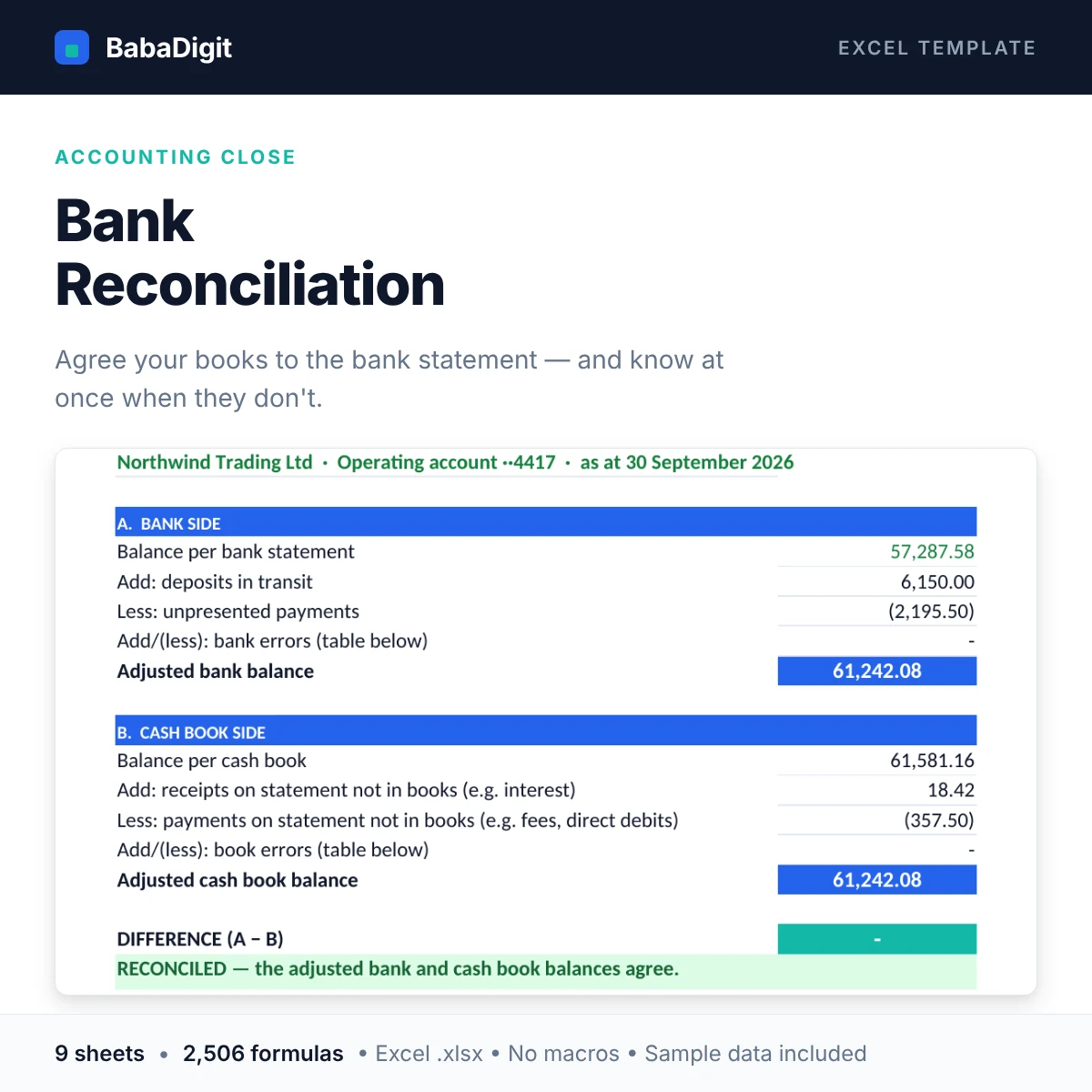
A bank reconciliation is the one control every business is expected to do monthly — and the one most often done badly, with a balancing figure nobody can explain.
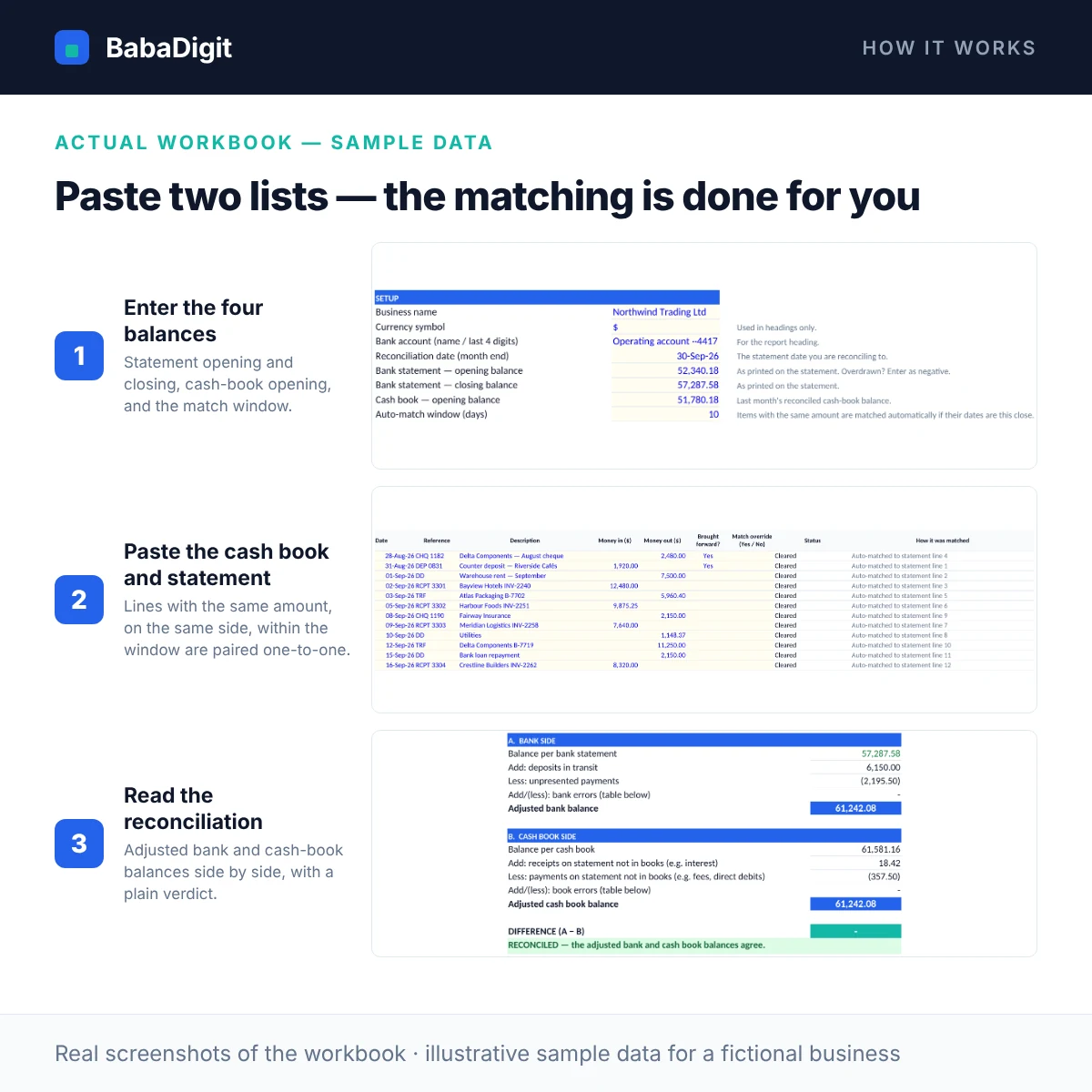
This template follows the standard format accountants and auditors expect. Paste in your cash book and the bank statement and it matches them automatically — same amount, same side, within a date window you set, one line to one line — then works out deposits in transit, unpresented payments, and the interest, fees and direct debits that are on the statement but not yet in your books. Every line says how it was matched, and you can override any pairing. The adjusted bank and cash-book balances are set side by side, and the difference is either zero or explained.
If something is wrong, it helps you find it: it checks that the statement lines add up, that matched items agree on both sides, flags unmatched items with a near-equal amount on the other side (the usual sign of a keying error), and points out a difference that divides by nine.
What you get
- Two-sided reconciliation statement: adjusted bank balance vs adjusted cash-book balance
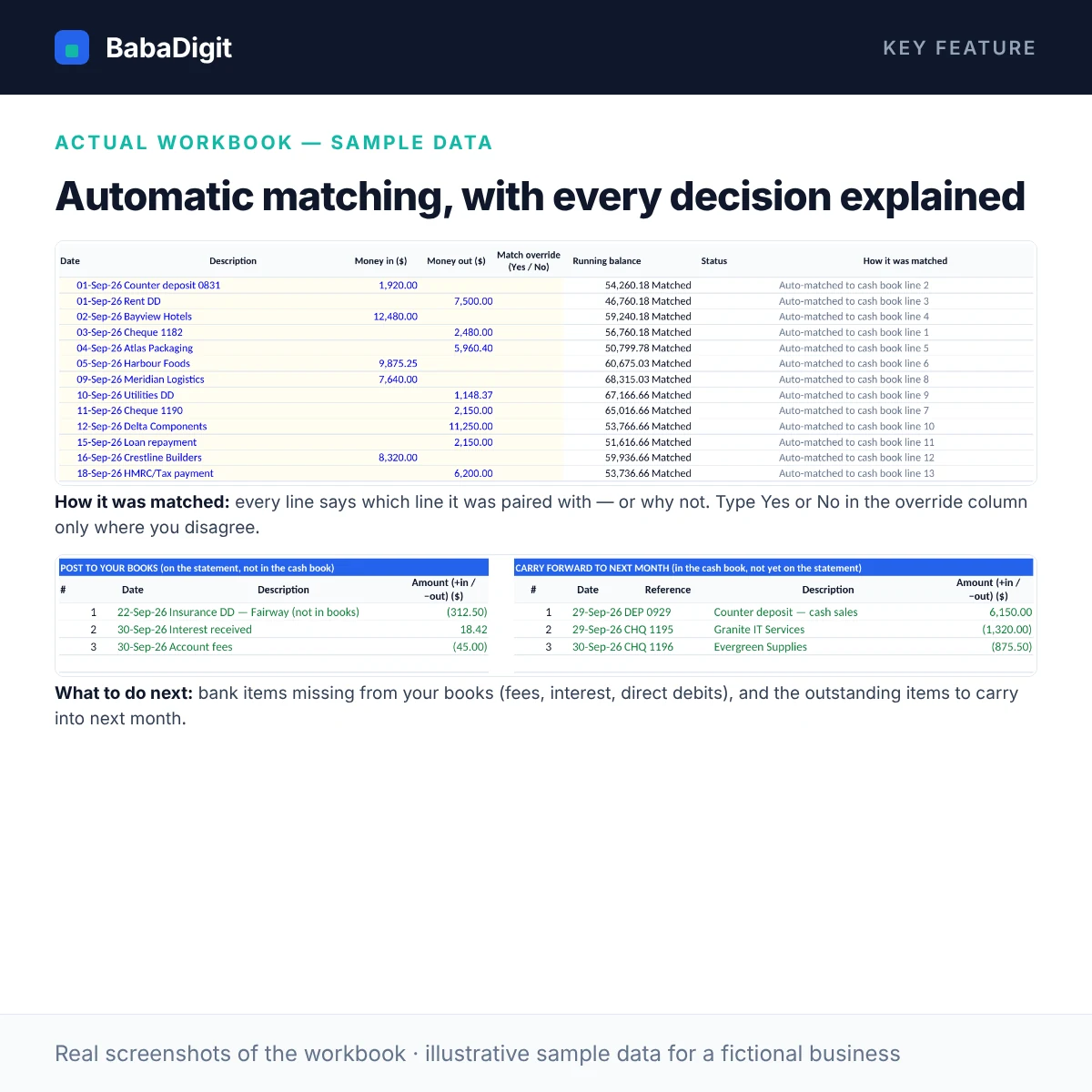
- Automatic one-to-one matching of cash book to statement by amount, side and date window, with a Yes/No override and an explanation on every line
- Deposits in transit and unpresented payments found automatically
- Bank-only receipts and payments (interest, fees, direct debits) listed for posting to your books
- Brought-forward handling for last month’s outstanding items, so nothing is double-counted
- Near-match detection for unmatched items within 1% — catches transposed or mistyped figures
- Running statement balance and a check that statement lines add up to the printed closing balance
- Tables for bank errors and book errors, sign-off for preparer and reviewer, and a 12-month history log
- Eight plain-English checks, including ‘matched receipts and payments agree on both sides’
Sheets in the workbook
- Instructions — How to use the file, colour key, assumptions and limitations.
- Setup — Account, month-end date, the four opening/closing balances and the auto-match window.
- Cash Book — Your recorded receipts and payments, matched automatically to the statement.
- Bank Statement — Statement lines with a running balance, matched automatically to the cash book.
- Reconciliation — The two-sided reconciliation statement, verdict and sign-off.
- To Post — Bank items missing from your books, and outstanding items to carry to next month.
- History — A 12-month log of reconciliations and sign-offs.
- Checks — Plain-English checks on balances and ticking.
- Notes & Tests — How each key result is calculated, and test scenarios you can run yourself.
Who it is for
Bookkeepers, accountants, finance officers and business owners who reconcile bank accounts each month or prepare records for an accountant or auditor.
Practical uses
- Month-end close for each bank account
- Preparing year-end records for an external accountant or auditor
- Finding why the books and the bank disagree
- Evidence of review and sign-off for internal control
In the download
- BabaDigit_Bank_Reconciliation.xlsx — 9 sheets
- README with the full usage guide
- Licence (own business and client use)
- Worked sample data for a fictional business, clearly labelled
Requirements
- Microsoft Excel 2016 or later, or Microsoft 365
- Also opens in LibreOffice Calc; Google Sheets and Apple Numbers import not yet tested
- No macros, no add-ins, no internet connection required
Please read
- One bank account and one month per file — save a copy each month.
- It does not import bank feeds; paste or type the data.
- Automatic matches should still be reviewed — the override column records your decisions.
- This is a tool, not financial, accounting, tax or legal advice.
Reviews
There are no reviews yet.